Start in demo mode
Selv opens with a fully stocked sample routine so you can explore everything before entering a single product. Poke around all five tabs: check off routine steps, expand products, take nothing seriously.
When you're ready, tap Set up my Selv on the Home screen. A short setup asks what to call you, your birthday (optional; the app is for ages 13 and up), and your city, and shows the fine print. Agree, and the app is fully yours: blank, private, ready.
Add your products 🧴
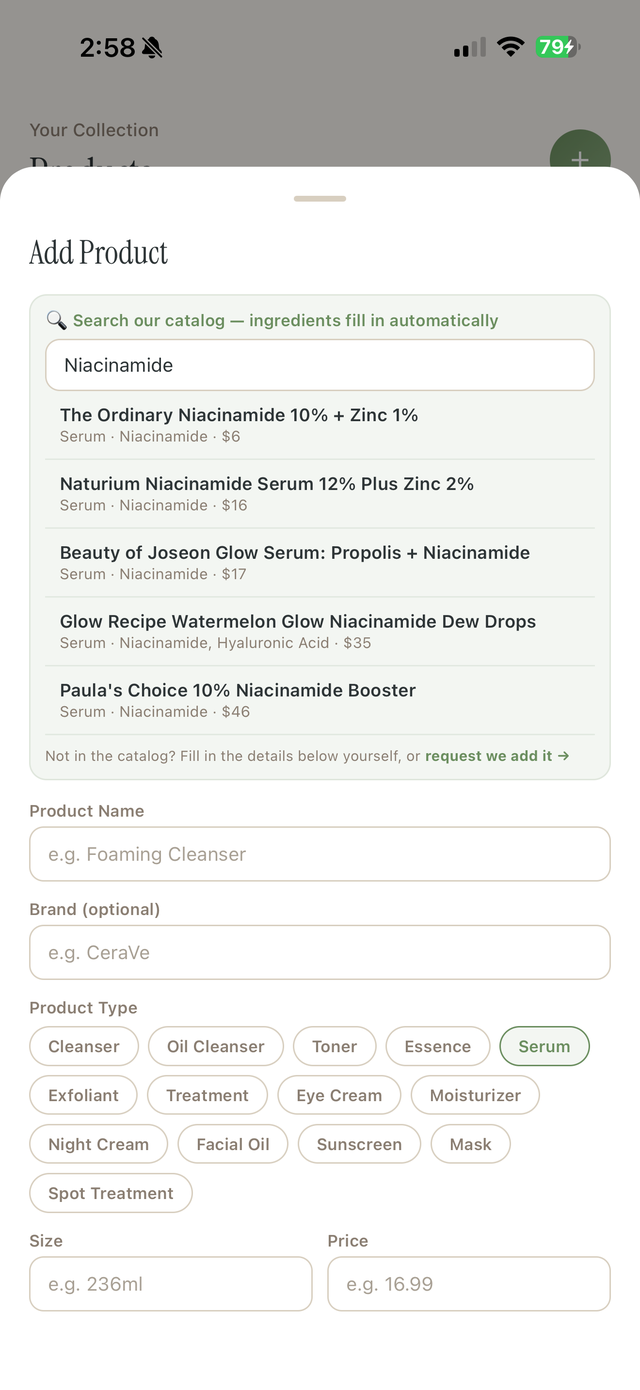
In the Products tab, tap + and start typing. The catalog, from everyday staples to prescriptions like tretinoin, fills in the details and the active ingredients for 1,000+ products. That's what powers the conflict checks later.
Products live in four places: your routine (used daily, AM/PM or both), treatments (weekly masks and peels), your shelf (backups, not in rotation), and retired (finished, and kept as a record of what you used, for how long, and what it cost).
Let the Routine Check work 🧪
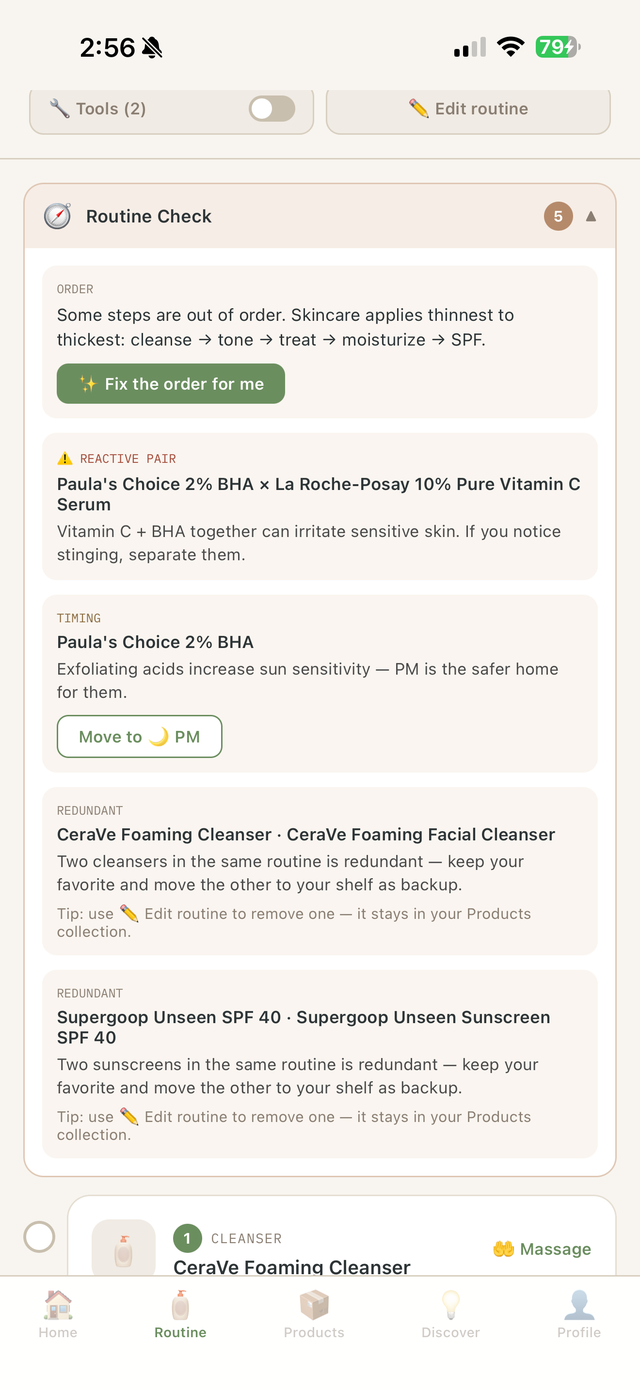
This is the part Selv is built for. In the Routine tab, the Routine Check reviews your morning and evening lineup for the things that quietly sabotage results: reactive ingredient pairs (retinoids + acids, vitamin C + benzoyl peroxide, and two dozen more), steps in the wrong order, products at the wrong time of day, doubled-up steps, and missing essentials like SPF.
Each finding comes with a plain-English why and a one-tap fix: reorder, move to the evening, or remove. Prescriptions are covered too: the app knows isotretinoin shouldn't share a bathroom shelf with exfoliating acids.
Take the skin quiz ✨
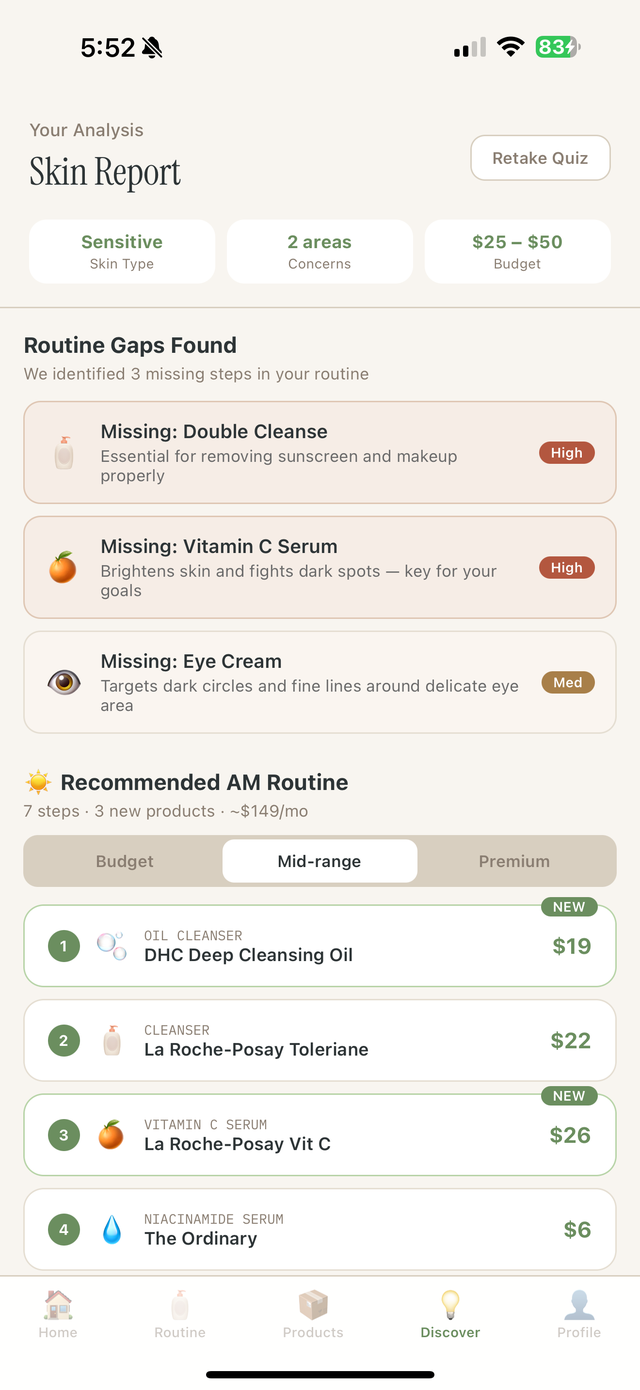
In Discover, a short quiz reads your skin type, concerns, goals, and budget, then builds a recommended AM and PM routine at three price tiers, from drugstore to splurge. If you've marked sensitivities in your Profile (retinoids, acids, niacinamide), clashing recommendations are automatically skipped, and the report tells you why.
Like what you see? One tap on "Use this as my routine" and it becomes your actual routine, every step editable.
Show up daily 🌱
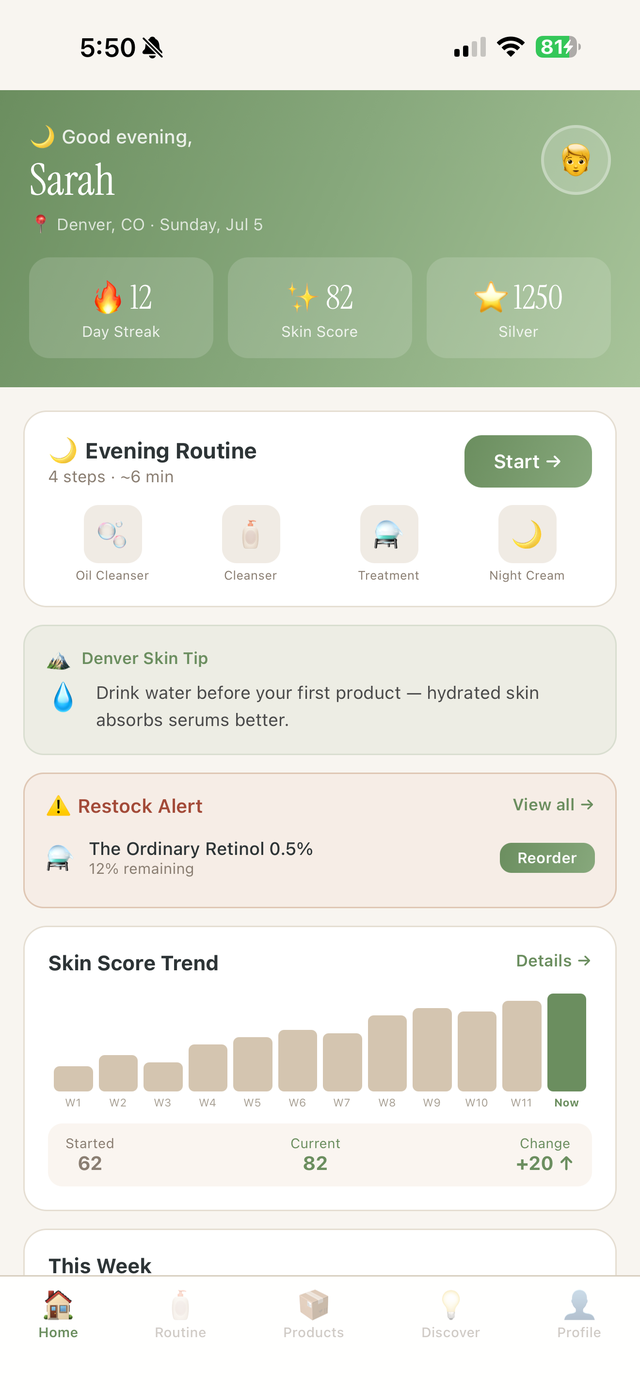
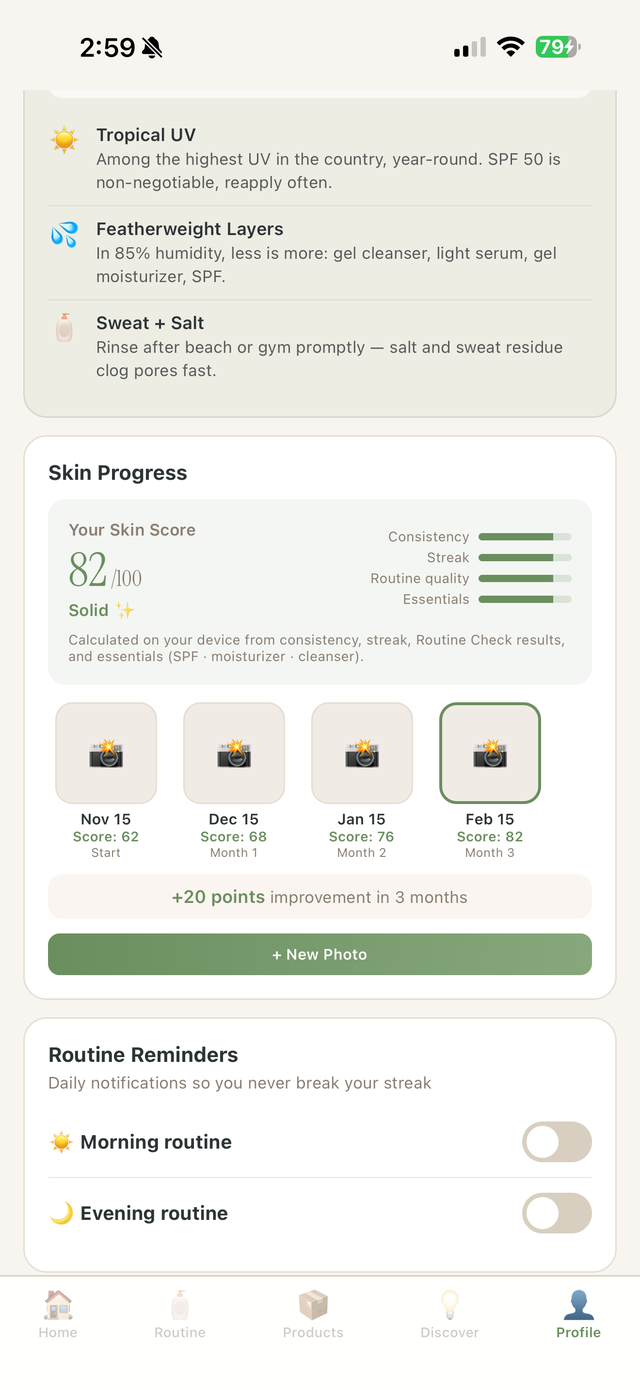
Check off each step morning and night. Streaks build, points add up, and your Skin Score, calculated entirely on your phone from consistency, streak, routine quality, and essentials, climbs as your habits do. Fixing a conflict literally raises your score.
Home is your daily dashboard: today's routine, your score trend, climate-based tips for your city (21 US cities and counting), and gentle reminders at times you choose.
Quick questions
Is it really free?
Yes. Free to download and free to use. There's no paid tier, and users never pay.
Where does my data go?
Without an account, nowhere: your routine, products and profile stay on your device. With the optional account (US App Store, 18 and up), a copy syncs to Selv's server so you can restore it on a new phone. The privacy policy lists exactly what's kept, and your data is never sold.
Is this medical advice?
No. Selv Skin offers general cosmetic guidance: helpful, researched, and honest, but not a substitute for a dermatologist. Prescription users should always follow their prescriber's directions. See our Terms & Medical Disclaimer.
Can brands pay to change what the app tells me?
No. Recommendations can't be bought: ingredient warnings and routine guidance aren't for sale to any brand or sponsor.